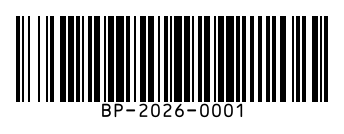
To make a Code 128 barcode, type any text or number, such as a SKU, serial number or tracking code, and download it as PNG, SVG or PDF. Code 128 encodes all 128 ASCII characters and is very compact, which is why it is the most common barcode for warehouses, shipping labels and inventory.
How to use it
- Type your value: SKU, serial number, order or tracking number.
- Choose the size and bar height that fit your label.
- Download one barcode, or open Bulk to make hundreds at once.
Key facts
| Characters | All 128 ASCII characters: A–Z, a–z, 0–9, symbols |
|---|---|
| Length | Variable |
| Check digit | Modulo 103, built in and added automatically |
| Density | High: long numbers are packed two digits per symbol |
| Used for | Shipping labels, warehouses, inventory, asset tags, libraries |
| Related | GS1-128 (Code 128 with GS1 Application Identifiers) |
Questions
Can Code 128 encode letters?
Yes. Code 128 encodes upper and lower case letters, digits and symbols. BarcodePal automatically picks the most compact code set for your value.
Is Code 128 the same as GS1-128?
GS1-128 uses Code 128 symbols plus a special FNC1 character and GS1 Application Identifiers like (01) or (17). For supply-chain labels that need GS1 data, use the GS1-128 generator.
How long can a Code 128 barcode be?
There is no fixed limit, but the barcode gets wider with every character. Most scanners read up to about 40–50 characters comfortably at normal label sizes.
Can I make many Code 128 barcodes at once?
Yes. Use the Bulk Barcode Generator: paste one value per line or upload a CSV, then download a ZIP of images or a printable PDF label sheet.
Guides
- How to Get a Barcode for Your Product
- EAN vs UPC: What Is the Difference?
- Barcode Size Guide for Printing
- Amazon Barcodes: FNSKU vs UPC
Other barcode generators
- EAN-13 Barcode Generator
- UPC Barcode Generator (UPC-A)
- EAN-8 Barcode Generator
- UPC-E Barcode Generator
- Code 39 Barcode Generator
- ITF-14 Barcode Generator
- ISBN Barcode Generator
- GS1-128 Barcode Generator
- Data Matrix Generator
- PDF417 Barcode Generator
- Codabar Barcode Generator
- Bulk Barcode Generator (ZIP & label sheets)
- Check Digit Calculator
Updated: