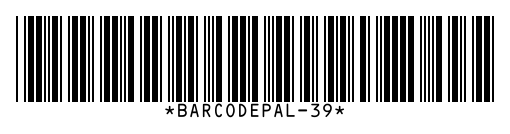
To make a Code 39 barcode, type uppercase letters, digits or the symbols - . $ / + % and space, then download it as PNG, SVG or PDF. Code 39, also called Code 3 of 9, needs no check digit and is read by almost every scanner, which keeps it popular for ID badges, inventory and industrial labels.
How to use it
- Type your value using A–Z, 0–9 and - . $ / + % or space.
- Turn on the optional check digit if your system requires it.
- Download as PNG, SVG or PDF.
Key facts
| Characters | A–Z, 0–9, space and - . $ / + % (43 characters) |
|---|---|
| Length | Variable |
| Check digit | Optional (modulo 43) |
| Density | Low: wider than Code 128 for the same text |
| Used for | ID badges, inventory, automotive (AIAG), defense (LOGMARS) |
| Also called | Code 3 of 9, USD-3 |
Questions
Does Code 39 support lower case letters?
Standard Code 39 does not. BarcodePal converts lower case to upper case. If you need lower case, use Code 128.
Should I use Code 39 or Code 128?
Use Code 128 for new projects: it is more compact and encodes all characters. Use Code 39 when an existing system, badge printer or customer requires it.
What are the asterisks around Code 39 text?
Code 39 starts and stops with a * character. BarcodePal adds them for you, so do not type them.
Guides
- How to Get a Barcode for Your Product
- EAN vs UPC: What Is the Difference?
- Barcode Size Guide for Printing
- Amazon Barcodes: FNSKU vs UPC
Other barcode generators
- EAN-13 Barcode Generator
- UPC Barcode Generator (UPC-A)
- Code 128 Barcode Generator
- EAN-8 Barcode Generator
- UPC-E Barcode Generator
- ITF-14 Barcode Generator
- ISBN Barcode Generator
- GS1-128 Barcode Generator
- Data Matrix Generator
- PDF417 Barcode Generator
- Codabar Barcode Generator
- Bulk Barcode Generator (ZIP & label sheets)
- Check Digit Calculator
Updated: