To make an EAN-8 barcode, type the 7 first digits of your EAN-8 number and BarcodePal adds the 8th check digit, then download PNG, SVG or PDF. EAN-8 is a shorter retail barcode for very small packages, like cosmetics, pens or sweets, where an EAN-13 would not fit.
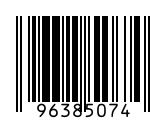
How to use it
- Type 7 digits, or all 8 if you have the check digit.
- Set the size so it fits your small label.
- Download as SVG or PDF for print, or PNG.
Key facts
| Characters | Digits only (0–9) |
|---|---|
| Length | 8 digits: 7 data digits + 1 check digit |
| Check digit | Modulo 10, calculated automatically |
| Nominal size (100%) | 26.73 × 21.64 mm |
| Used for | Small retail packages |
| Also called | GTIN-8 |
Questions
Can I shorten my EAN-13 to EAN-8?
No. EAN-8 numbers are a separate series issued by GS1 on request. You cannot cut an EAN-13 down to 8 digits.
Does this give me an EAN-8 number?
No. BarcodePal draws the barcode image from a number you already have. Official retail numbers (GTINs) are licensed by GS1 or your local GS1 office. Retailers like Amazon, Walmart and most supermarkets check that the number belongs to your company.
When should I use EAN-8 instead of EAN-13?
Only when the package is too small for an EAN-13. GS1 usually asks you to show that an EAN-13 does not fit before giving you an EAN-8.
Guides
- How to Get a Barcode for Your Product
- EAN vs UPC: What Is the Difference?
- Barcode Size Guide for Printing
- Amazon Barcodes: FNSKU vs UPC
Other barcode generators
- EAN-13 Barcode Generator
- UPC Barcode Generator (UPC-A)
- Code 128 Barcode Generator
- UPC-E Barcode Generator
- Code 39 Barcode Generator
- ITF-14 Barcode Generator
- ISBN Barcode Generator
- GS1-128 Barcode Generator
- Data Matrix Generator
- PDF417 Barcode Generator
- Codabar Barcode Generator
- Bulk Barcode Generator (ZIP & label sheets)
- Check Digit Calculator
Updated: