To make an ISBN barcode, type your 13-digit ISBN (starting with 978 or 979) and download the barcode as SVG, PDF or PNG for your back cover. An ISBN barcode is an EAN-13 barcode of the ISBN-13 number, so any bookshop scanner can read it. The 5-digit price add-on is not included yet.
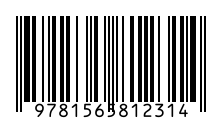
How to use it
- Type your ISBN-13. Hyphens and spaces are removed automatically.
- Set the size: around 100% (37 × 26 mm) fits most back covers.
- Download as SVG or PDF and place it on your cover file.
Key facts
| Characters | Digits only (0–9) |
|---|---|
| Length | 13 digits, starting with 978 or 979 |
| Symbol | EAN-13 (also called Bookland EAN) |
| Check digit | Modulo 10, calculated automatically |
| Used for | Books, e-books listings, bookshop checkouts |
| Not included yet | 5-digit price add-on (EAN-5) |
Questions
Where do I get an ISBN?
From the ISBN agency of your country (for example Bowker in the US, Nielsen in the UK). Some platforms like Amazon KDP can also give you a free ISBN that only works on their platform.
I have an old 10-digit ISBN. Can I use it?
Convert it first: put 978 in front of the first 9 digits and let BarcodePal calculate the new check digit. The old ISBN-10 check digit is not used.
Does Amazon KDP need an ISBN barcode?
For paperbacks, KDP can add the barcode for you when you use their cover tools. If you upload your own cover file, you can place this barcode in the space they reserve.
Guides
- How to Get a Barcode for Your Product
- EAN vs UPC: What Is the Difference?
- Barcode Size Guide for Printing
- Amazon Barcodes: FNSKU vs UPC
Other barcode generators
- EAN-13 Barcode Generator
- UPC Barcode Generator (UPC-A)
- Code 128 Barcode Generator
- EAN-8 Barcode Generator
- UPC-E Barcode Generator
- Code 39 Barcode Generator
- ITF-14 Barcode Generator
- GS1-128 Barcode Generator
- Data Matrix Generator
- PDF417 Barcode Generator
- Codabar Barcode Generator
- Bulk Barcode Generator (ZIP & label sheets)
- Check Digit Calculator
Updated: